Does Email Tracking Work With CC and BCC?
How Cc and Bcc recipients are tracked and what you will see in the dashboard.
The short answer
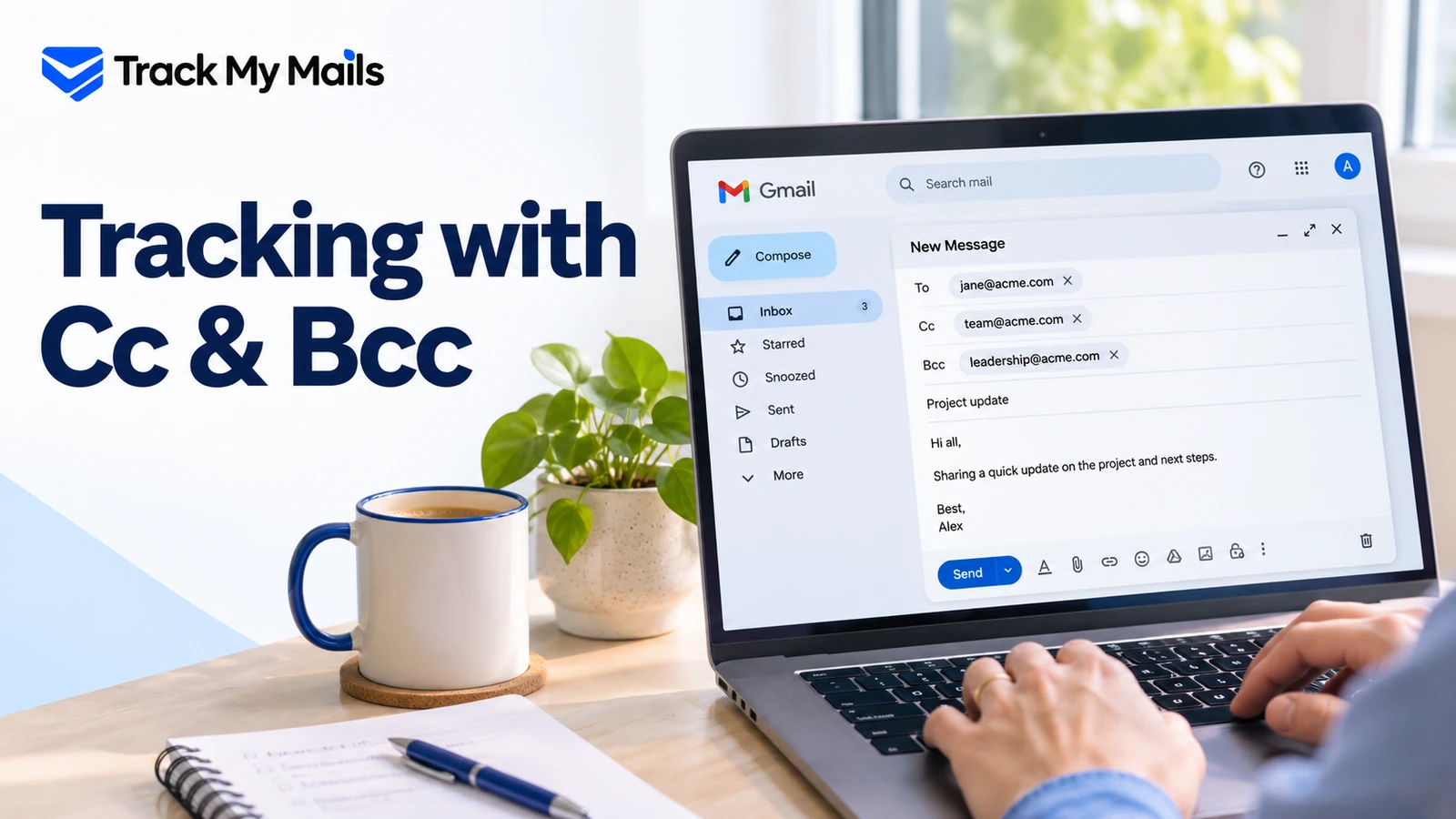
Yes, tracking works when you use CC and BCC, but with one important limit: you cannot tell which of those people opened the email. A tracked email carries one tracking image, and everyone on To, CC and BCC receives the same message with the same image. An open tells you that someone who received it opened it, not who.
How it works with several recipients
When you press Send, Track My Mails registers the email once and places one tracking image in it. Gmail then delivers copies of that same message to everybody you addressed. When any of them loads images, our server records an open for that email.
The dashboard shows the recipients you addressed alongside the opens, the open count, the time and the device type. That is useful context, but the open itself is not tied to a particular address.
What changes with BCC
BCC recipients are included in tracking in the same way. They receive the same message and the same image, and their opens count toward the email’s total. Because BCC addresses are hidden from the other recipients, nobody has to know who else was added, and you will not know either which of them did the opening.
How to read opens on a multi-recipient email
A few patterns help you avoid wrong conclusions:
- Several opens close together from different devices usually mean more than one person looked at it, or one person on a phone and a laptop
- The device type can hint at who it was. If you wrote to a colleague and a client and a phone open arrives first, think about who is more likely to read on a phone, but treat it as a hint only
- Link clicks include the country, which can help separate people in different places
- A hot lead alert at 3 or more opens may simply reflect three people reading once each
When you need per-person answers
If it matters who opened, send separate emails instead of one group email. A short individual message to each person gives you a clean open and click timeline per recipient. It also usually gets better replies than a long CC chain.
For an email that has to go to several people at once, use the open count as a group signal: “somebody has seen this”, and use a reply as the real confirmation.
A worked example
You email a client, copy your manager and blind-copy a colleague. Twenty minutes later you see an open from a phone, then an open from a laptop an hour later. You cannot tell whether the client opened it twice or the manager and the client opened it once each. The click country, if there is a link, can help. If you needed to know the client’s own behaviour, a separate email to the client alone would have given you a clean answer.
Common mistakes
When reading group emails, avoid these:
- Assuming the first open is the person you most wanted to reach
- Treating three opens as one person’s interest when three people may have read it once
- Following up as if the main recipient had definitely seen it
- Putting a lot of people on CC and hoping tracking will sort out who is engaged
Putting it into practice
Think of a group email as one conversation with several readers. Use opens to learn that somebody has seen your message, use clicks to learn what interested them, and use replies to learn who they are. If the identity of the reader matters, split the message into individual emails. It takes a little longer to send, but it gives you a far clearer picture and treats every recipient as a person rather than a line on a CC list.
Key points to remember
A short summary you can come back to:
- One tracking image is shared by To, CC and BCC recipients
- You see that someone opened it, not who
- Device type and click country are hints only
- Send separate emails when identity matters
- A group email counts as one tracked email
Two related details
Some recipient addresses, such as certain government addresses, are handled differently for privacy, and links in those emails are kept as normal links. And as always, tracking is per email: you can switch the badge next to Send off for a message where tracking is not appropriate.
Frequently asked questions
Can I see which CC recipient opened my email?
No. One tracking image is shared by every recipient of the message, so an open cannot be matched to a single address.
Are BCC recipients tracked?
Yes, in the same way as everyone else. Their opens count toward the email’s total, but they cannot be told apart.
How can I track people individually?
Send a separate email to each person. Each message then has its own opens and clicks.
Does a group email count as one email on my limit?
Yes. It is one tracked email, whatever the number of recipients.
Track your next Gmail with context
See sent status in Gmail and review opens, timestamps, and link clicks in one dashboard.
Start with Google