Does Email Tracking Work With Confidential Mode?
Gmail's confidential mode is not supported. What happens if you use it and what to do instead.
The short answer
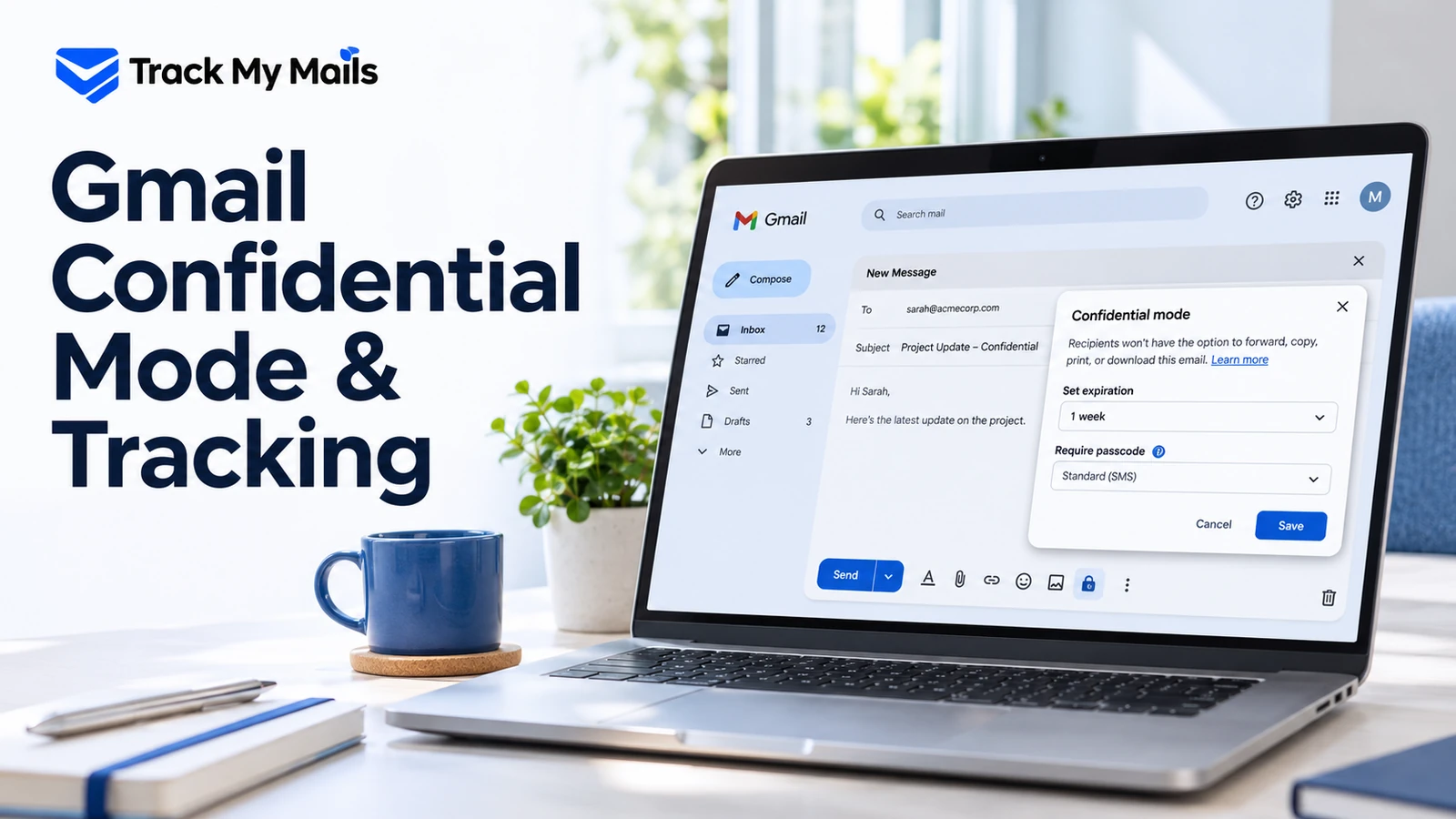
Do not count on it. Gmail’s confidential mode changes how a message is delivered and displayed, and that can stop the tracking image from loading, so opens may be missing or unreliable. Track My Mails does not promise tracking for confidential-mode emails. If you need an open signal, send the email in the normal way, and if you must use confidential mode, test it first with a second address.
What confidential mode does
Confidential mode is a Gmail feature for sensitive messages. It lets you set an expiry date, require a passcode for some recipients, and block forwarding, copying, printing and downloading. For recipients who do not use Gmail, the message is usually delivered as a link to a page where they read it, rather than as the full email in their inbox.
Why tracking is unreliable with it
Open tracking depends on the recipient’s mail app loading an image that sits inside the email. In confidential mode the content is shown through Google’s own controlled view, so an image from another server may not be loaded the way it is in a normal message. Link tracking can also behave differently, since the point of the mode is to restrict what leaves the message.
The result varies by recipient and by how the message is viewed, so there is no reliable rule to document. That is why the honest answer is that it is not supported.
If you want to try it
A short test removes the guesswork:
- Send a confidential-mode email to a second address you own, ideally one on a different provider
- Wait about 30 seconds and open it the way a real recipient would, from that inbox
- Check whether the Sent folder tick changes to ✓✓ and the open appears in your dashboard
- Repeat with a Gmail recipient and a non-Gmail one, since results can differ
A worked example
You send a salary offer in confidential mode with a passcode. The candidate opens it through Google’s view, and you see no open in your dashboard. That is not a bug in your setup, it is the effect of the mode, and the email was meant to be private anyway. When you want to know that the candidate saw the next step, you send a normal email with a link to a booking page and watch for the click.
Common mistakes
Watch out for these:
- Assuming missing opens mean the recipient ignored a confidential email
- Sending sensitive details in a normal email so that tracking works
- Relying on tracking for legal or contractual proof of reading
- Skipping a test with a second address before an important send
Putting it into practice
The honest position is that confidentiality and tracking pull in opposite directions. Confidential mode tries to keep control over a message, while tracking tries to learn what happens to it. When you must use confidential mode, accept the loss of the open signal and rely on a reply. When you need the signal, use a normal email and protect sensitive content in another way, such as an access-controlled document link.
Key points to remember
A short summary you can come back to:
- Tracking is not supported for confidential-mode emails
- Missing opens do not mean the email was ignored
- Test with a second address first
- Use a protected link for sensitive documents
- A reply is the best confirmation
Choosing between confidentiality and tracking
They answer different needs. If the goal is to protect sensitive content, confidential mode is the right tool and you should accept that tracking may not work. If the goal is to know whether a proposal or a quote was looked at, send it normally, ideally as a link to a document so a click shows engagement, and use access controls on the document itself.
Either way, you can switch tracking off with the badge next to Send for any email where it does not belong. Remember that open tracking is an indicator, not proof, and never a way to read what is inside a message. Track My Mails does not read or store your email text or attachments.
Frequently asked questions
Is confidential mode supported?
Not officially. Opens may not be recorded because of how Gmail displays these messages.
Can I at least track clicks in a confidential email?
It may behave differently too. Test with a second address before relying on it.
Does tracking weaken confidential mode?
Track My Mails never reads or stores your email text or attachments, but if you need strict confidentiality, you can turn tracking off for that email.
What should I use for sensitive documents?
Share them as a protected cloud link with access controls, and use a click on the link as your engagement signal.
Track your next Gmail with context
See sent status in Gmail and review opens, timestamps, and link clicks in one dashboard.
Start with Google